

Download BAO TV – Free VHS & Betamax Capture Software for Windows 98
If you're still running Windows 98 and have a treasure trove of VHS or Betamax tapes filled with precious memories, BAO TV is one of the few reliable tools that can help you digitize your analog footage. Designed specifically for legacy systems, this software enables video and audio capture from older analog devices using compatible hardware like the AverMedia Phone98 card. While the setup process demands some technical know-how, BAO TV delivers impressive results once properly configured.
With support for codecs like DivX and Microsoft’s V8, it offers flexible options for preserving your analog content in modern digital formats. The software runs efficiently on older systems, making it a must-have for retro computing enthusiasts and archivists preserving family history. Despite its niche audience, BAO TV remains a secure and effective solution for Windows 98 users seeking to recover and store analog video content.
Key Features of BAO TV for Legacy Video Capture
- Legacy System Support – Fully optimized for Windows 98, ensuring compatibility with older PCs and hardware.
- Hardware Integration – Works seamlessly with AverMedia Phone98 and similar analog capture cards.
- Multiple Codec Support – Compatible with DivX, Microsoft V8, and other legacy video codecs for flexible output.
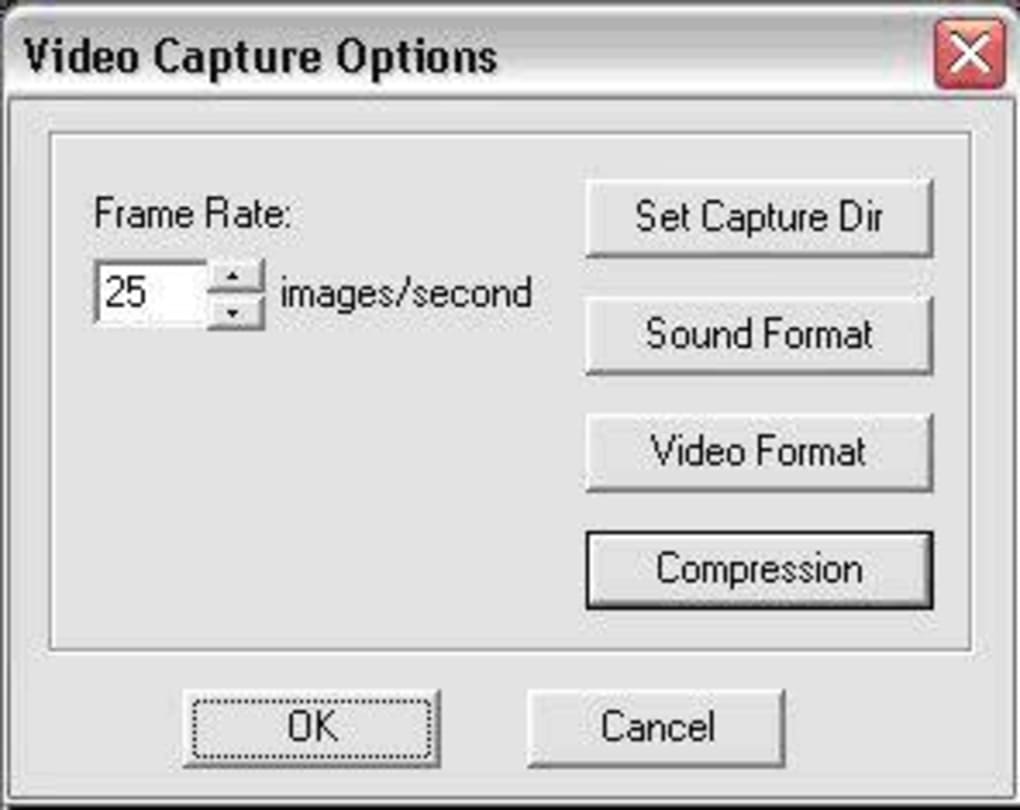
- AVI Capture Options – Adjustable frame rate settings to match your system’s performance, ideal for low-end processors.
- Customizable Output Directory – Users can define specific folders for captured files, simplifying organization.
- Independent Hardware Initialization – Once launched, BAO TV manages the capture card without needing external programs.
- Audio Configuration Tools – Advanced settings for bitrate and audio quality tuning, though requiring experimentation.
Installation & Setup: A Step-by-Step Guide for Windows 98 Users
Installing BAO TV on Windows 98 requires careful preparation and a few technical steps to ensure a smooth experience. First, confirm that your system has an AverMedia Phone98 or a compatible analog video capture card installed and recognized in Device Manager. Next, download the BAO TV installer from the official developer website.
During installation, you may encounter warnings about missing files such as istrmdll.zip, drmclien.dll, mfc42.dll, or wmaudsdk.dll. These are essential runtime components, and the developer’s site provides direct download links for each. It’s crucial to install these dependencies before proceeding.
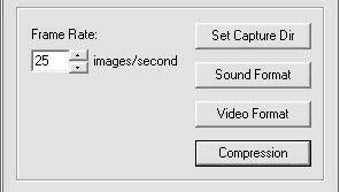
After successful installation, launch BAO TV. Unlike some legacy software, it doesn’t require you to open the AverMedia Phone98 application separately—BAO TV initializes the hardware on its own. Navigate to Options > AVI Capture Options to configure your settings.
For older CPUs, setting a lower frame rate (e.g., 10 or 12 fps) will prevent lag and ensure smoother capture. Choose a dedicated directory for your video files using the Set Capture File option. This helps avoid clutter and makes future editing or backup easier.
Audio capture is the most challenging part. The software allows bitrate adjustments, but achieving clear, distortion-free audio often requires trial and error. Try different settings and monitor the output. Using a high-quality analog audio cable and ensuring your sound card is properly configured can also improve results. Patience and persistence are key—once everything is set, the capture process is reliable and efficient.
Compatibility & System Requirements for BAO TV
BAO TV is specifically designed for Windows 98 and is not compatible with newer operating systems like Windows XP, Vista, or modern Windows versions. This makes it a niche but invaluable tool for users still relying on legacy hardware. The software runs on systems with at least a Pentium II processor, 64 MB of RAM, and 100 MB of free disk space. A working video capture card, such as the AverMedia Phone98, is mandatory for functionality.
For users with older PCs, BAO TV is a lightweight solution that doesn’t strain system resources. It supports a variety of analog input sources, including VHS players, Betamax decks, and even some older camcorders with composite or S-Video outputs. The software integrates with common video codecs like DivX and Microsoft’s V8, allowing you to compress large analog files into manageable digital formats.
While BAO TV doesn’t support modern platforms like Mac, Android, or iOS, its focus on Windows 98 ensures deep hardware integration. If you’re using a retro PC or maintaining a vintage setup, this software is a secure and proven option. For those considering upgrades, it’s worth noting that BAO TV serves as a bridge between analog memories and digital preservation—especially valuable for families and historians preserving rare footage.
Pros and Cons: Is BAO TV Right for You?
Pros
- Unique Compatibility – The only known tool that fully supports VHS/Betamax capture on Windows 98.
- Effective Hardware Control – Automatically initializes the capture card without external programs.
- Flexible Output Settings – Adjustable frame rate and codec options for optimal performance on slow systems.
- Free to Download – No cost for the software, making it accessible for budget-conscious users.
- Preservation-Focused – Ideal for archiving family videos, old documentaries, and rare analog content.
Cons
- Complex Setup – Requires manual installation of missing DLLs and driver configuration.
- Steep Learning Curve – Audio settings are not intuitive and demand experimentation.
- Outdated Platform – Only works on Windows 98, limiting its use to legacy systems.
- Limited Support – No official customer service or updated documentation.
- No Modern Features – Lacks modern tools like automatic editing, file tagging, or cloud backup.
Frequently Asked Questions (FAQ)
Final Verdict: A Niche but Powerful Tool for Analog Archivists
BAO TV may not be a mainstream software, but for Windows 98 users with VHS or Betamax tapes, it’s an indispensable tool. While the setup process is far from beginner-friendly, the effort pays off in high-quality digital captures that preserve irreplaceable memories. Its ability to work independently with the AverMedia Phone98 card and support for legacy codecs makes it a rare gem in the world of retro computing. If you’re preserving family videos, old home movies, or historical footage, BAO TV offers a secure and effective solution.
Despite its limitations—outdated OS support, complex configuration, and lack of modern features—it remains the best option available for its target audience. For those still running Windows 98 and seeking to digitize analog content, downloading BAO TV is a smart move. Don’t let outdated hardware stop you from saving your past.
Download BAO TV today and start rescuing your analog memories with confidence.







